Choose what your 3D configurator opens on
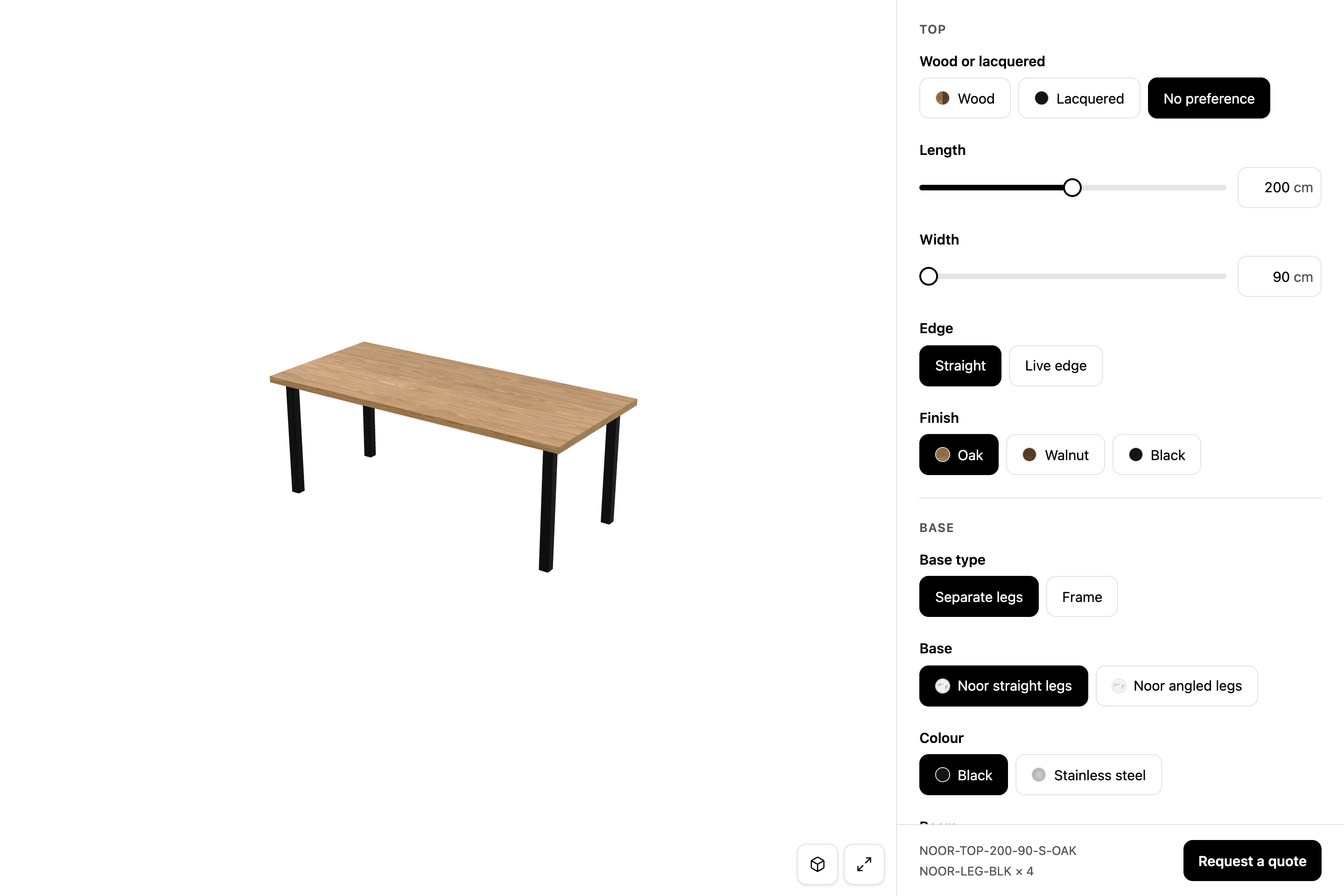
When your customer opens the configurator, they first see the default. The table Noor opens on a top of 200 by 90 cm
with a straight edge in oak, on Noor straight legs in black, without a beam. At the foot stand the SKUs that go with
it.
Choose the default
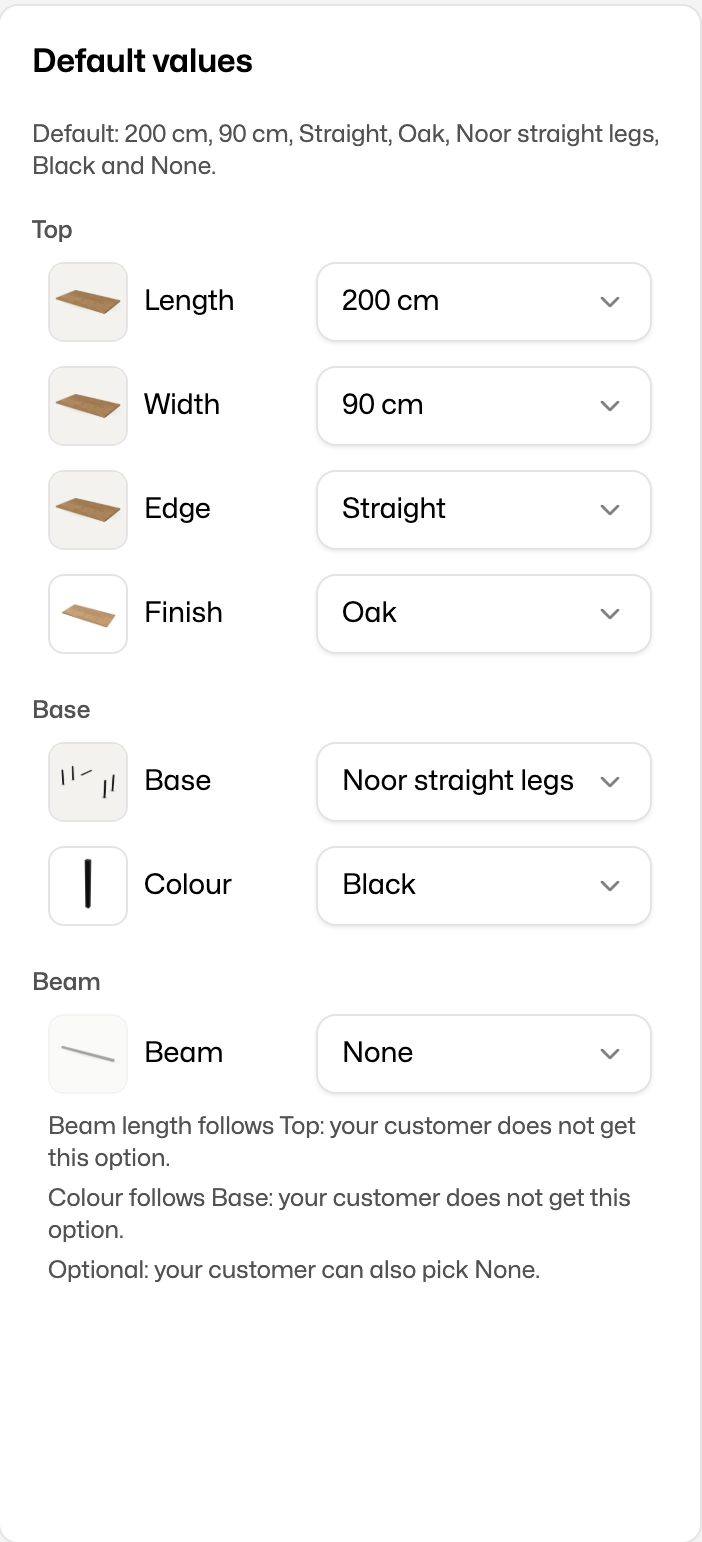
Section titled “Choose the default”In step 4 of Set up model, Default, you pick 1 value per option. Until you pick one, the model opens with the first value of each option.
- At each option, pick the value, such as 200 cm at
Length. - Choose Confirm and then Save. Your customer sees it after Publish.
A choice that moves with it
Section titled “A choice that moves with it”The default is always something your customer can pick. When you pick a value you do not sell with the rest, another choice moves with it. Portal says which.
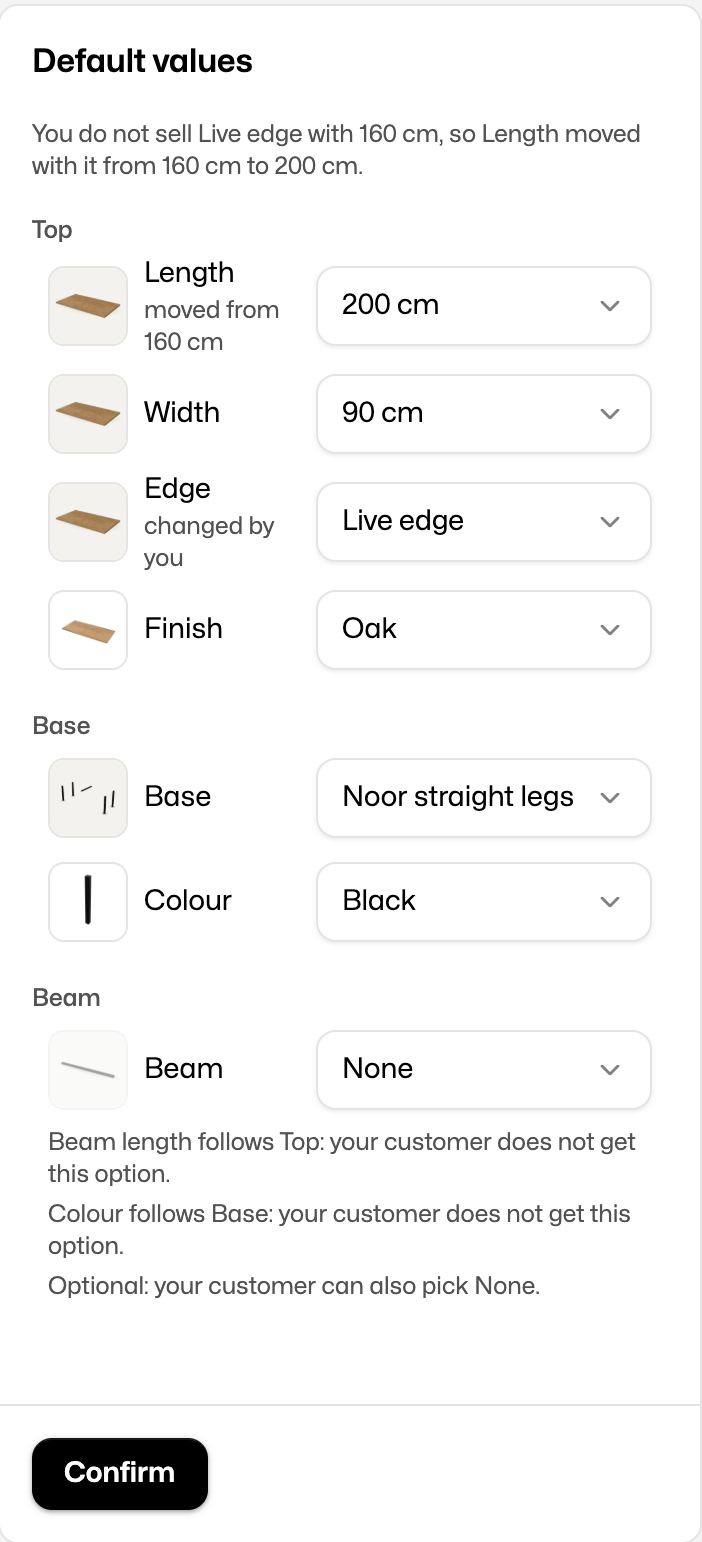
A value a rule excludes cannot be the default either. When nothing else fits, Portal asks you to pick another value.
You choose the default at your model in Modelsopens Portal, under Set up model, step 4.