A property's values and swatches
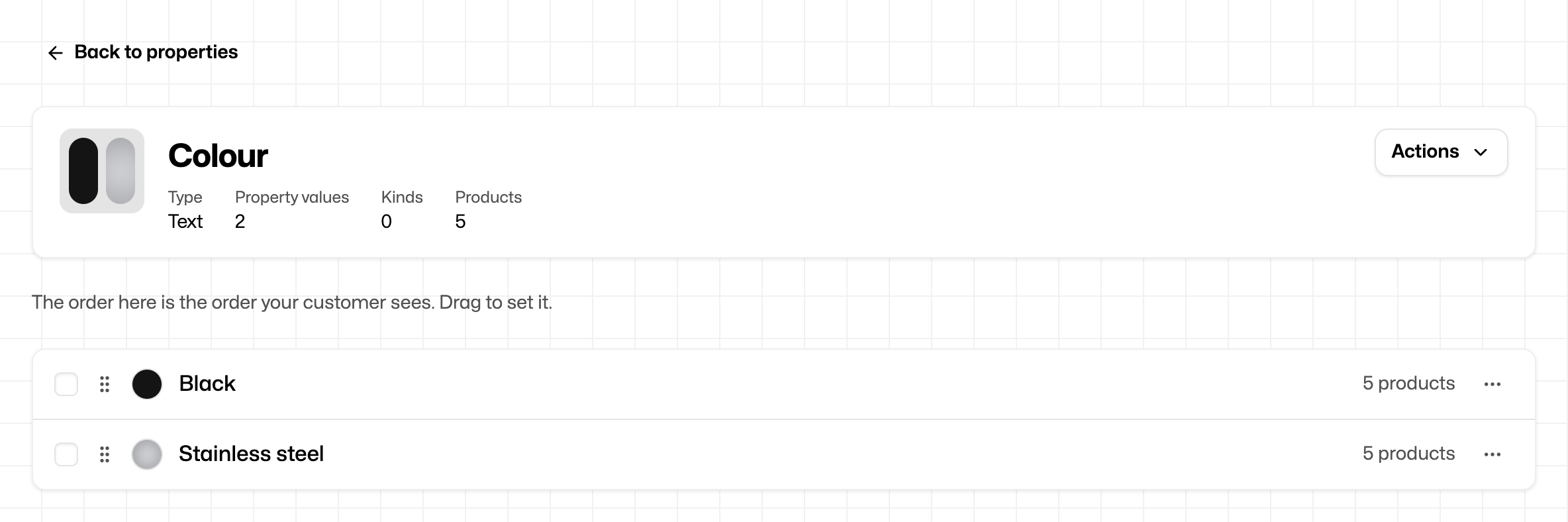
If your customer chooses Black, they get the base in black. Black is a value: 1 possibility of a property. The bases
of table Noor come in black and in stainless steel. For that, Studio Lindeman has the property Colour, with the values
Black and Stainless steel.
A value has a name, a place in the order and sometimes a swatch. A swatch shows what the value looks like. It is a
colour, an image or an icon. Black has a colour as its swatch. Stainless steel has an image, because brushed steel is not 1
colour.
Add a value
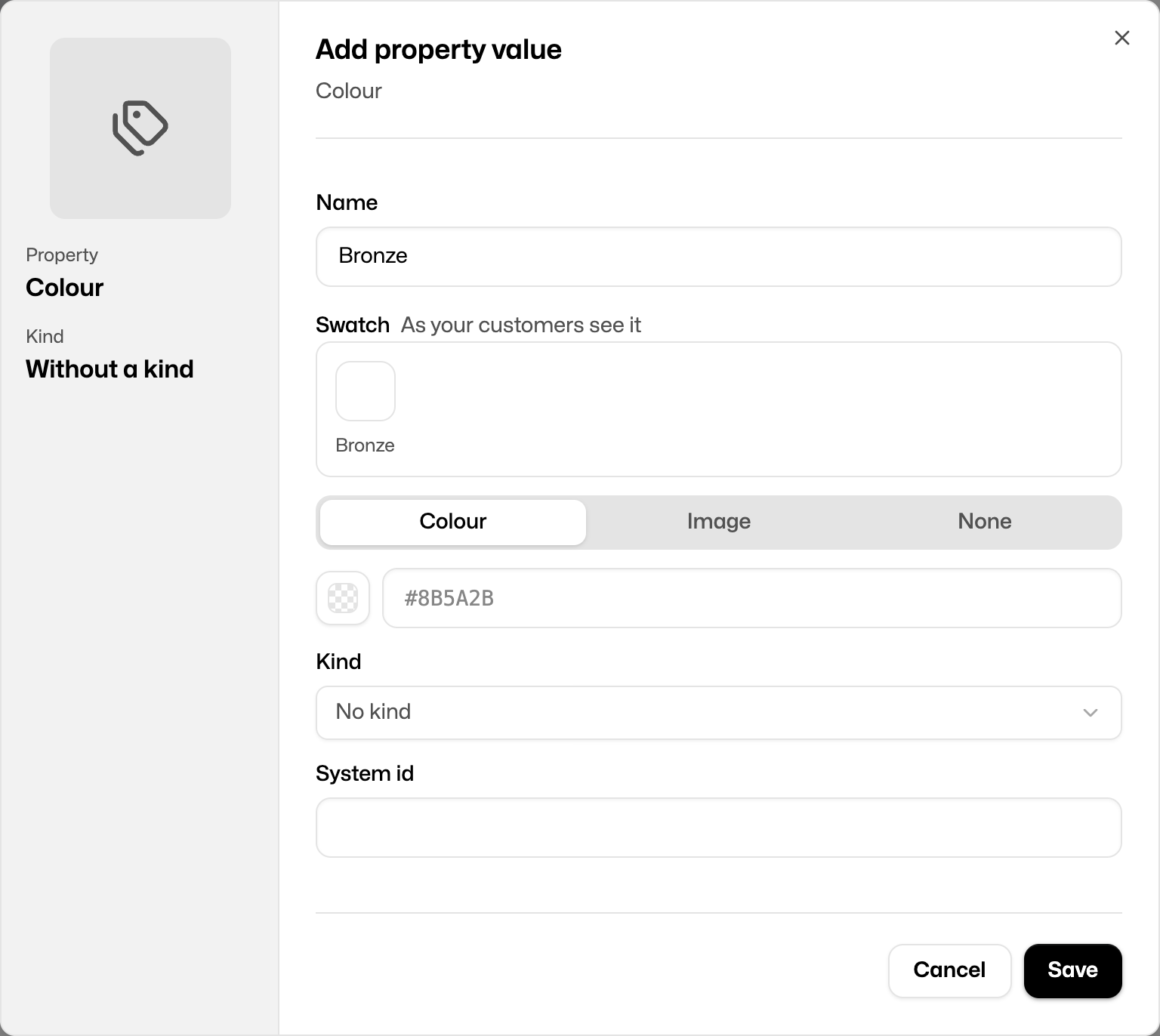
Section titled “Add a value”- Go to Propertiesopens Portal and choose the property, here
Colour. - Choose Actions and then Add property value.
- Give the value a name, such as Bronze.
- Under Swatch, choose what your customer sees with the value:
- Colour: you choose a colour or type a colour code such as #8B5A2B.
- Image: you upload an image or an icon, as JPG, PNG, GIF or WebP. Such as a photo of the wood or the fabric.
- None: the value shows with its name alone.
- If the value belongs in a group, choose its kind.
- If your own system has a name for the value, fill it in under System id.
- Choose Save.
A new value belongs to no product yet. Give it to a product on its Variants tab, with + Value next to the property. That adds variants, see Variants. On that tab you can also make a value that does not exist yet: type the name and choose to make it.
The order
Section titled “The order”With a text, you drag the values into the order your customer sees. A size is always ordered from small to large.
Edit a value
Section titled “Edit a value”Choose the 3 dots next to the value and then Edit. There you change the name, the swatch, the kind and the system id. Delete takes the value away.

Where you see a value again
Section titled “Where you see a value again”- In the 3D model, as an answer to an option, with its name and swatch.
- On the request, in the SKU of the variant your customer chooses:
NOOR-LEG-BLKis the leg inBlack. - In a rule, as 1 of the choices that cannot go together.